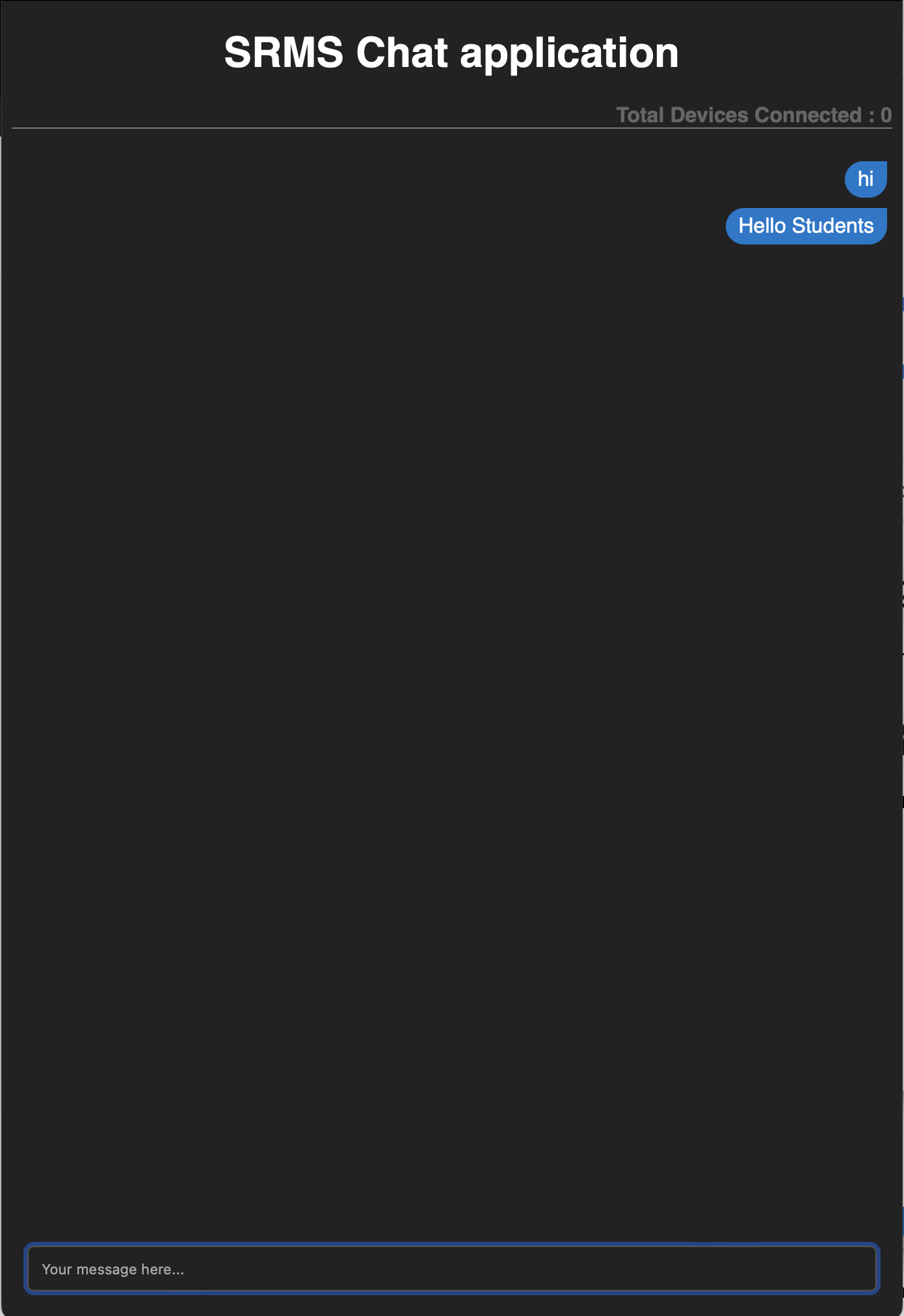
Chat application using Websocket
To build a chat application, you need to do the following
- Create some html, css and js files to read from websocket
- Create one public bucket
- Upload the files
Contents of HTML file
 1<!DOCTYPE html>
 2<html lang="en">
 3<head>
 4    <meta charset="UTF-8">
 5    <meta http-equiv="X-UA-Compatible" content="IE=edge">
 6    <meta name="viewport" content="width=device-width, initial-scale=1.0">
 7    <title>DataVedam Chat Application Demo</title>
 8    <link rel="stylesheet" href="style.css">
 9</head>
10<body>
11    <h1 class="header">SRMS Chat application</h1>
12    <h4 class="connected_devices">Total Devices Connected : <span id="connected-devices"></span></h4>
13    <div id="messages"></div>
14    <form action="">
15        <input type="text" placeholder="Your message here...">
16    </form>
17    <script src="app.js"></script>
18</body>
19</html>
Contents of app.js
 1function showMessage(text, isOwner = false) {
 2    document.getElementById("messages").innerHTML += `
 3        <div class="message-row ${isOwner ? 'owner' : ''}">
 4            <div class="bubble">${text}</div>
 5        </div>
 6    `
 7}
 8// Change this server address
 9const server = "ws://localhost:8099";
10const ws = new WebSocket(server);
11document.getElementById("connected-devices").innerHTML = '0'
12ws.addEventListener('message', ev => {
13    payload = ev.data;
14    console.log(payload)
15    message = JSON.parse(payload);
16    if (message['connected_devices'] !== undefined)
17        document.getElementById("connected-devices").innerHTML = message['connected_devices'];
18    if (message['data'] !== undefined)
19        showMessage(message['data']);
20})
21
22document.querySelector('form').onsubmit = ev => {
23    ev.preventDefault();
24    input = document.querySelector('input')
25    data = input.value.trim()
26    if(data != ''){
27        ws.send(data)
28        showMessage(data, true)
29    }
30    input.value = ''
31}
Contents of style.css
 1* {
 2    box-sizing: border-box;
 3}
 4body {
 5    background-color: #222;
 6    color: #fff;
 7    font-family: sans-serif;
 8}
 9.header {
10    text-align: center;
11}
12.connected_devices {
13    text-align: right;
14    color: #666;
15    border-bottom: 1px solid #777;
16}
17#connected-devices {
18    color: #ccc
19}
20form {
21    position: fixed;
22    bottom: 0;
23    left: 0;
24    right: 0;
25    padding: 20px;
26}
27input {
28    width: 100%;
29    padding: 10px;
30    border-radius: 5px;
31    background-color: transparent;
32    color: #fff;
33    border: 1px solid #555;
34}
35.bubble {
36    background-color: #444;
37    margin: 4px;
38    padding: 5px 10px;
39    display: inline-block;
40    border-radius: 0px 20px 20px 20px;
41}
42.message-row.owner {
43    text-align: right;
44}
45.message-row.owner .bubble {
46    background-color: #07c;
47    border-radius: 20px 0px 20px 20px;
48}
Create a bucket using terraform
Upload your html files