Terraform download and configuration
- Download the terraform from the below link https://www.terraform.io/downloads
- Install the terraform
- Once installed, you can check the version of your terraform by running the following command
AWS Configuration
- Go to the following link https://console.aws.amazon.com/iamv2/home#/users
- Click on
Add users
- Give some username and select programatic access as the access type
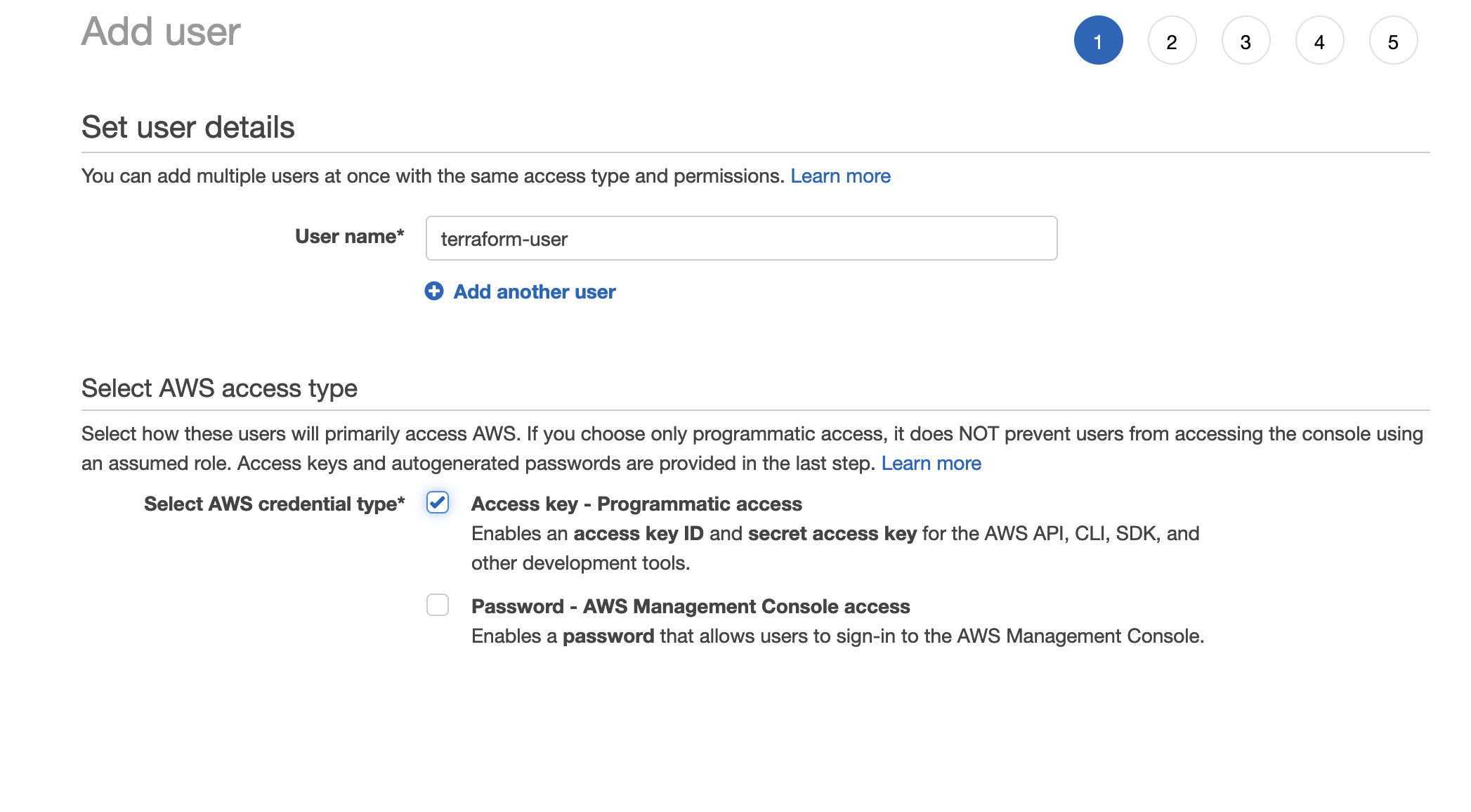
- Click on next
- In the next section Select attach existing policy directly and check on the Administrator Access
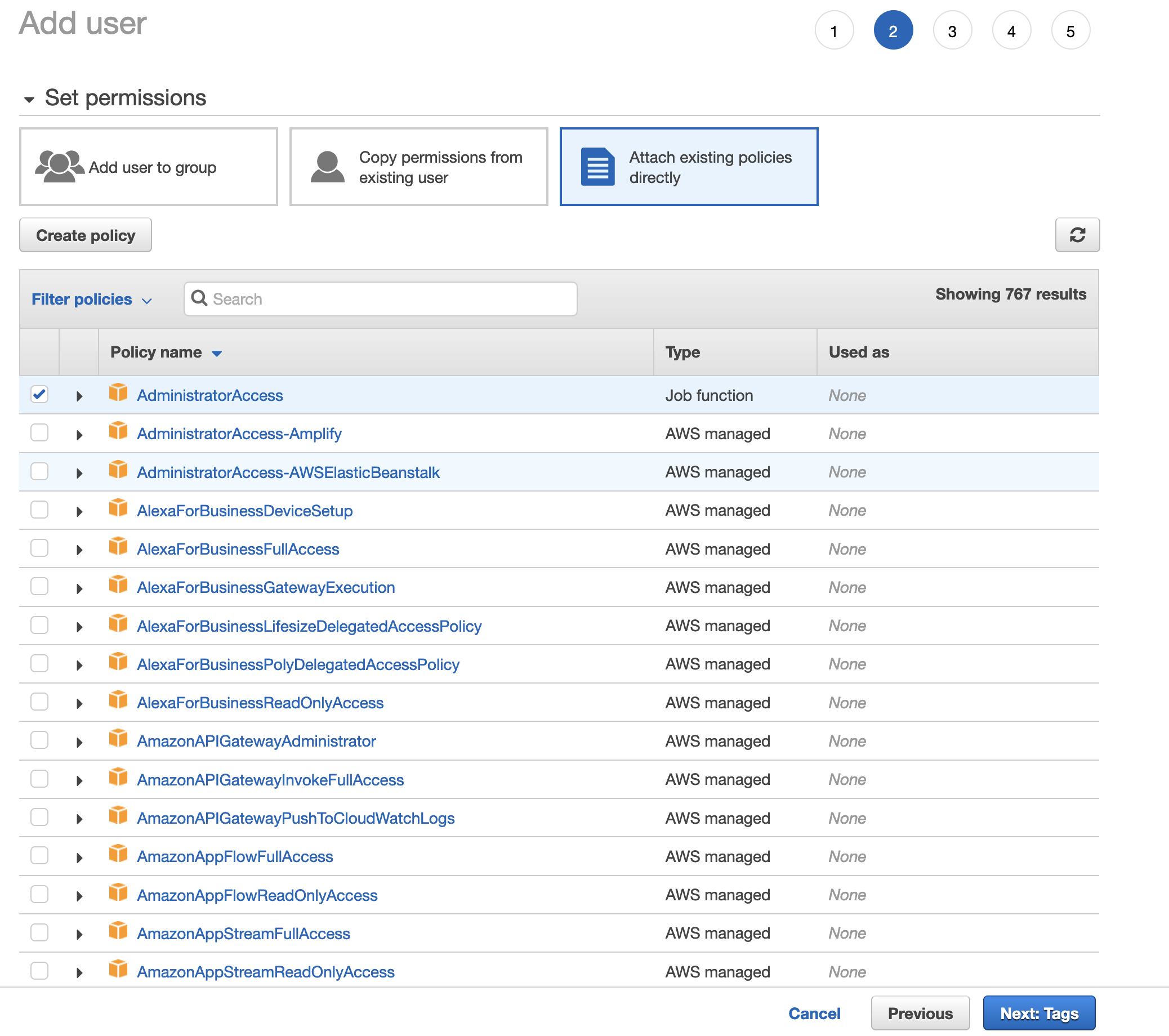
- Click on next till you reach the last section where AWS Add User success page will come
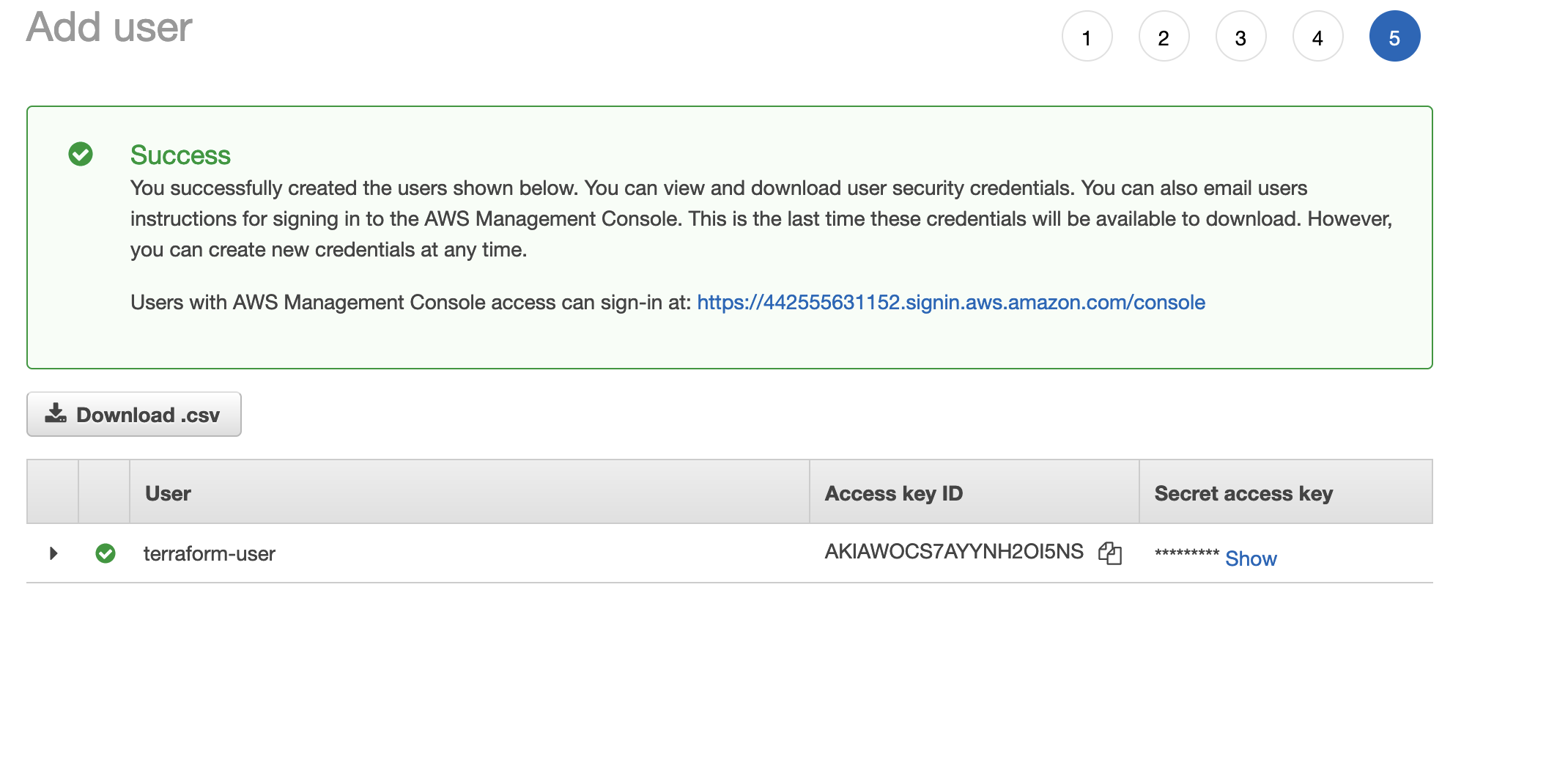
- Save the AWS Access Key Id and AWS Secret Access Key