Change Bucket Configuration
Change bucket configuration to make it public
- Click on the bucket that is newly created
- Click on permissions
- Next click on
Edit Block public access (bucket settings)
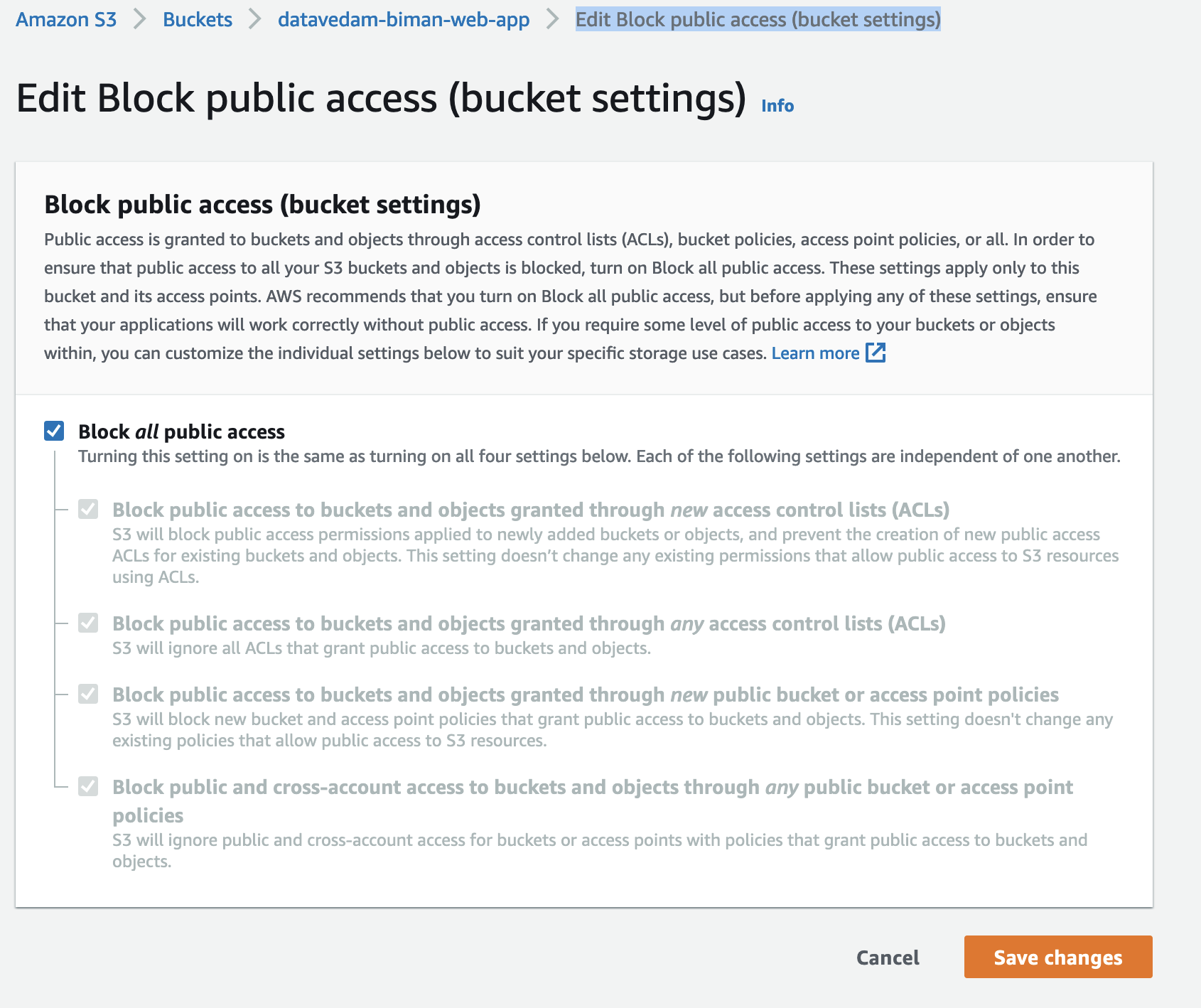
- Uncheck Block Permissions, a pop up will come and enter confirm
- Under Bucket Policy, click on edit and enter the below contents after replacing it with your bucket name
 1   {
 2    "Version": "2012-10-17",
 3    "Statement": [
 4        {
 5            "Sid": "PublicReadGetObject",
 6            "Effect": "Allow",
 7            "Principal": "*",
 8            "Action": "s3:GetObject",
 9            "Resource": "arn:aws:s3:::<your_bucket_name>/*"
10        }
11    ]
12   }
Change bucket configuration for static webpage hosting
- Click on Properties
- Go till end to find Static web hosting

- Click on
edit - Click on
enable - Under index document type
index.html - Under error document type
error.html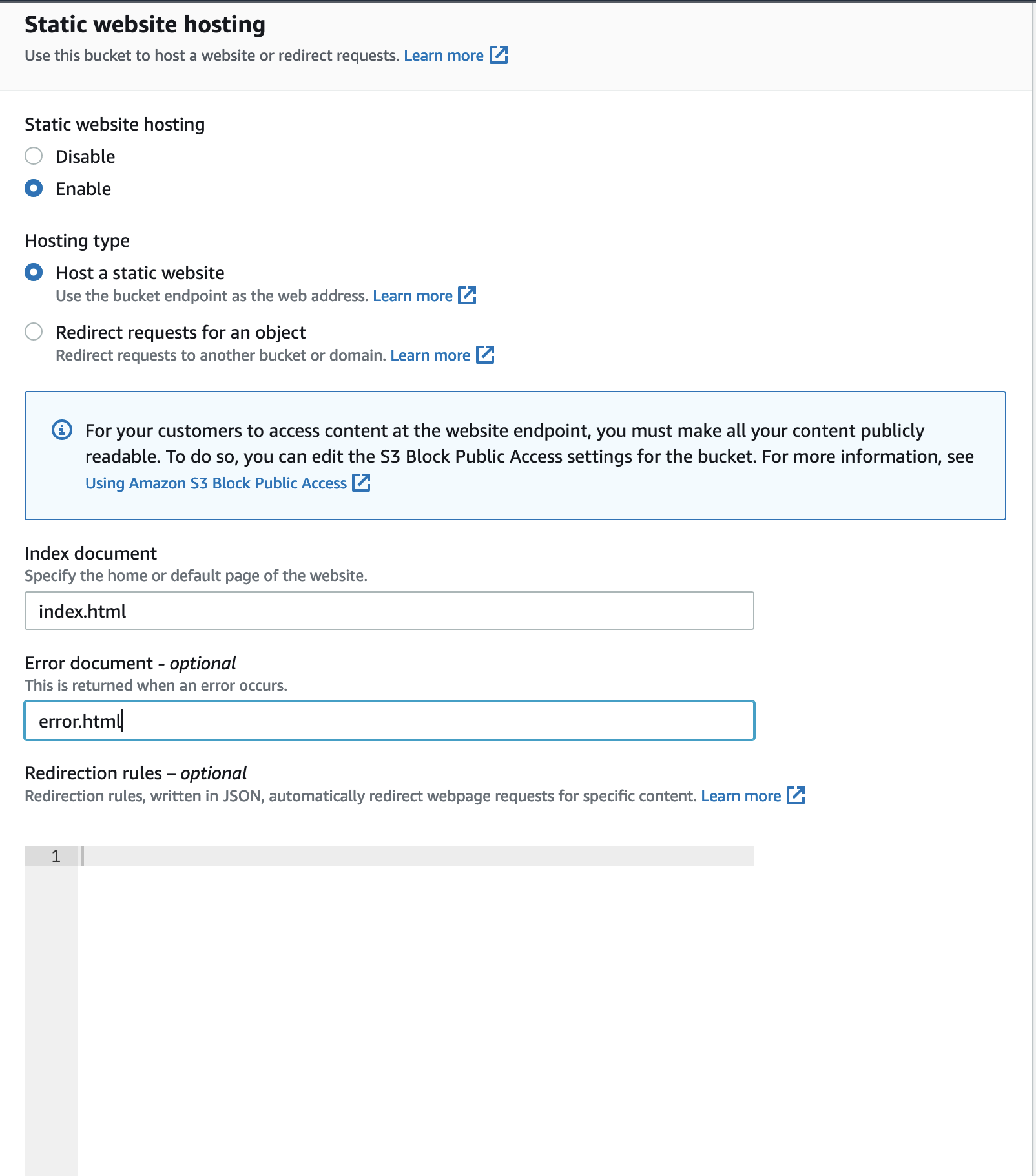
- Click on save changes